iCloud to Google Drive sync, automatic
Your iPhone videos, synced from iCloud to Google Drive.
AlbumFlow copies the videos in your iCloud Photos library into Google Drive and keeps them current: original files, sorted by album, ready to share with a Drive link. Photos come along too. Set it up once and stop AirDropping.
No card for the trial. Plans from $20 a month after.
- Original files4K, HEVC, slow-mo: every clip arrives exactly as shot. No re-encoding.
- Share the folder onceSend a Drive link today; every clip you shoot later appears in it.
- Nothing to installRuns in the cloud. Your phone and laptop can stay put.


















What it looks like, on both ends.
Left: your album in the Photos app, untouched. Right: the folder it becomes in Google Drive, original files, same names. Example clips, real layouts.
0:420:191:280:313:050:12A run, written up.
Every run starts by listing both sides. Only clips missing from Drive are transferred, so a library with thousands of videos usually refreshes in under a minute.
The ledger on the right is the activity log from the dashboard, with example clips. Large videos stream straight through; nothing waits on disk.
Share the folder once.
The Drive folder is an ordinary folder, so sharing works the way Drive always has: send the link to a client, an editor, or the family group. Every clip you shoot after that appears in the same folder, and the link never changes.
Shared Drives work too, so a team can own the folder rather than one person.
Three steps, then none.
- 1
Connect both accounts
Sign in to iCloud with the same verification code your iPhone shows you, then connect Google Drive with one click. Credentials are encrypted at rest.
- 2
Pick a Drive folder
Choose where the copy lives and how often it refreshes. Everything syncs by default, each album as its own folder. Only want some albums? Name them, or use a pattern like "Family - *".
- 3
Let it run
Every video you shoot appears in Drive on the next run, in the right folder, at full size. No cable, no export, no AirDrop, no computer left on at home.
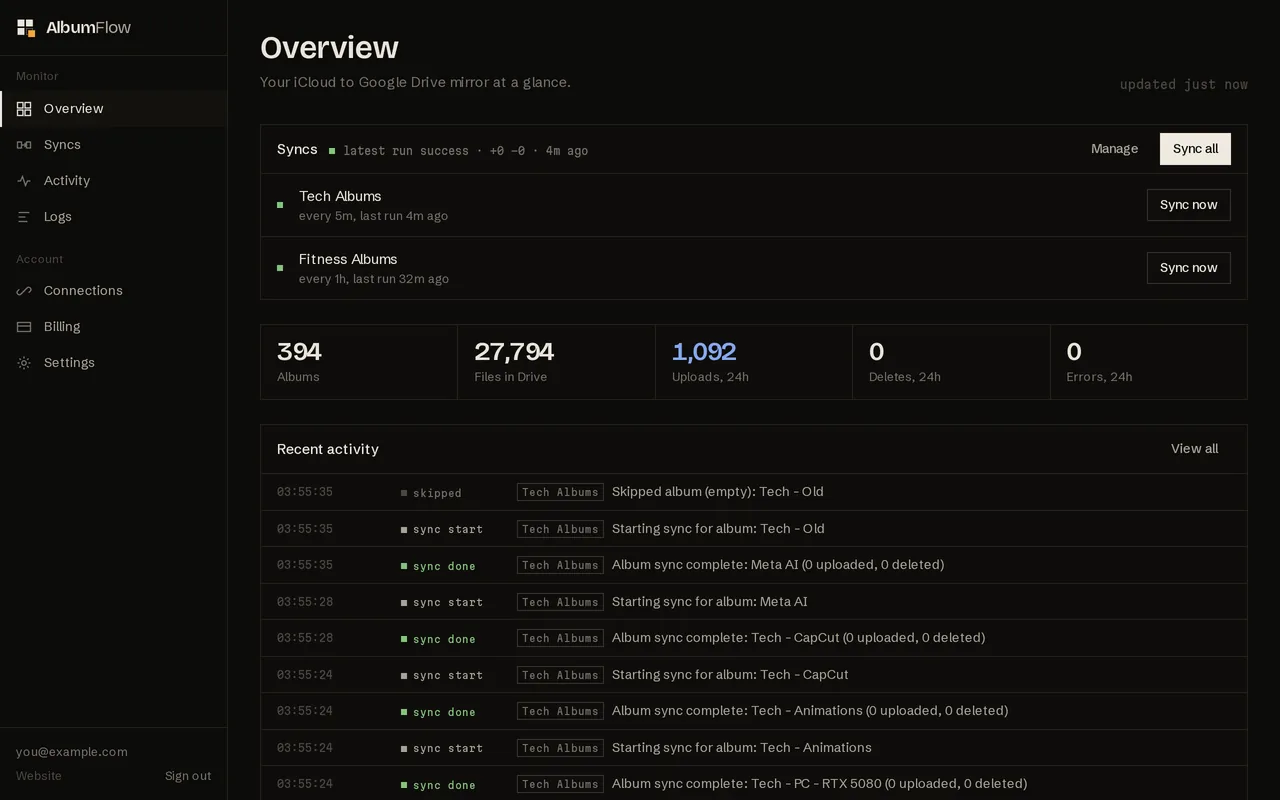
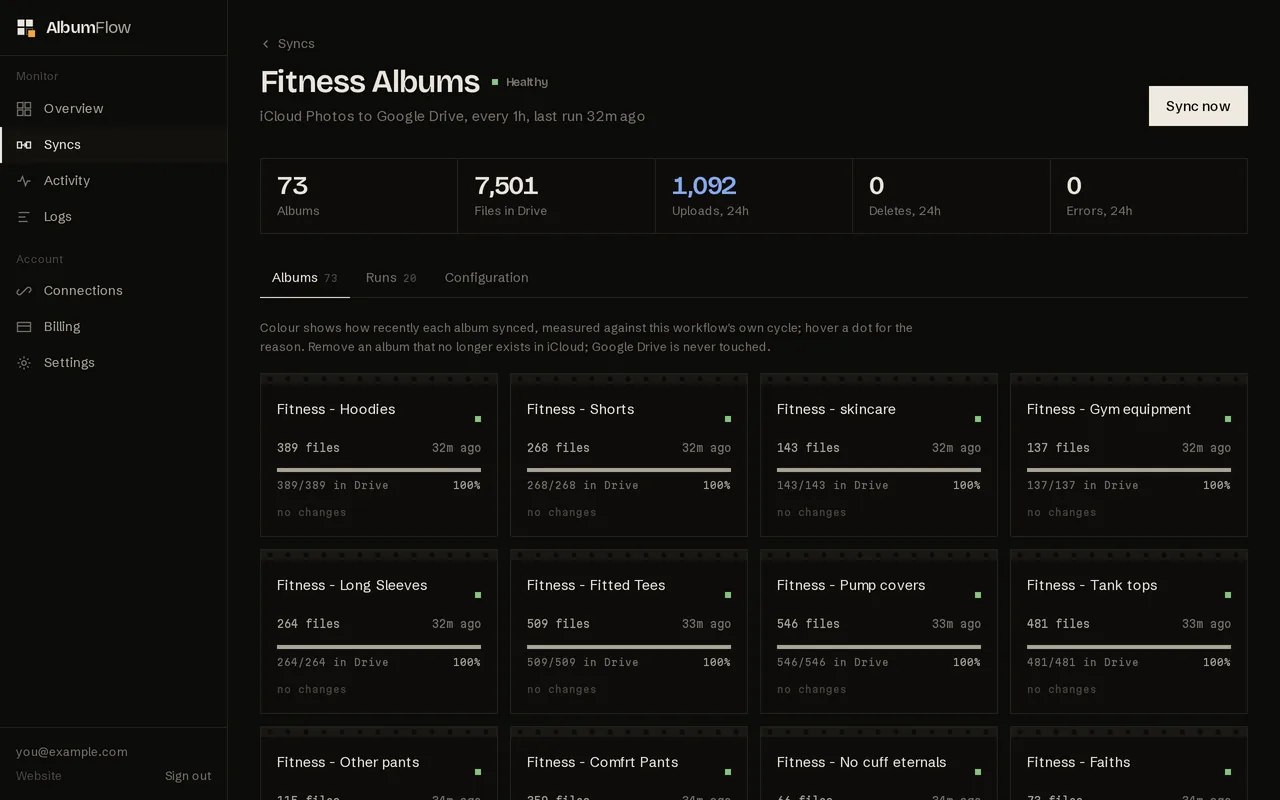
The dashboard.
Every sync, album, run and file, with an email when something needs you. These are screenshots of the real dashboard.
One direction, by design.
Two-way tools have to decide who wins when both sides change, and when they decide wrong, photos vanish. A mirror has no such choice to make.
What it does, precisely.
- Direction
- One way, always
iCloud is the source of truth. The Drive copy follows it. Nothing is ever written back to Apple.
- Video
- Full-size, every time
Clips are copied as the original files, so 4K, HEVC, 240 fps and ProRes footage lands in Drive exactly as your iPhone recorded it.
- Sorting
- Sorted by album
Every album becomes a Drive folder of the same name. Narrow a sync to certain albums with a name or a wildcard when you need to.
- Transfer
- Lists first, bytes second
Both sides are listed and compared before a single file downloads. An unchanged album costs seconds.
- Safety
- Deletion limits
If iCloud briefly reports albums missing, a configurable ratio stops a mass deletion from reaching Drive.
- Storage
- Nothing kept here
Files stream from iCloud to Drive and leave our server the moment each upload completes.
Two numbers decide the price.
How fresh the Drive copy should be, and how many Drive folders you sync into. Photos are never counted. Every account starts with 7 free days.
| Monthly, in USD | Startermost chosen $20 / month For your own library: synced every 6 hours, up to three syncs. | Pro $39 / month For creators and teams: synced every hour, up to ten syncs. |
|---|---|---|
| Free trial | 7 days, no card | 7 days, no card |
| Syncs (Drive folders) | 3 | 10 |
| Sync frequency | Every 6 hours | Every hour |
| Videos and photos | Unlimited | Unlimited |
| Original quality, no re-encoding | ||
| Sort by album | ||
| Email alerts | ||
| Deletion safety limits | ||
| Start 7-day trial | Start 7-day trial |
Asked often.
A standing copy of your iCloud Photos library inside Google Drive that stays current by itself. AlbumFlow reads your iCloud albums on a schedule and uploads whatever Drive is missing, as the original files, into folders named after the albums. It is purpose-built for this one job, with nothing else attached.
No, deliberately. It is a one-way mirror from iCloud Photos to Google Drive. Nothing is modified in your iCloud library, which is what makes it safe to leave running unattended.
No. Each clip is copied as the original file your iPhone recorded, including 4K, HEVC, slow-motion and ProRes. Nothing is re-encoded, and Google Drive stores it as is.
No. Syncing runs on our servers. You set it up once in the web dashboard and it runs on schedule from then on.
Your iCloud sign-in, protected by Apple two-factor authentication and encrypted at rest, plus Google Drive file access via Google sign-in. Either can be disconnected at any time.
After 7 days syncing pauses until you pick a plan. Your workflows, connections and everything already in Google Drive stay exactly as they are.